
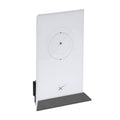
HIDEit Star Wall Mount for the Spacex Starlink Mesh Wi-Fi Router.
Starlink router is wall mounted in RV behind the TV using the HIDEit Star Mount.
Spacex Starlink router can be wall mounted and VESA mounted using the HIDEit Starlink Mount.
The HIDEit Starlink wall mount is made from heavy-duty steel for strength and durability.
The HIDEit Star Mount for the Starlink router won't interfere with Wi-Fi.
HIDEit Mounts makes it easy to love your space! HIDEit is an American company with over 1 million units sold globally.
5.0
Rated 5.0 out of 5 stars
5.0 Stars (1 Review)

HIDEit Star | Starlink Gen 2 Wall Mount

$35.00
Compatible with: SpaceX Starlink Gen 2 Wi-Fi router
NOT for Any other Wi-Fi router

$5 US Shipping on $100+. Ships from Nevada.

  • Ships in 2 Days
  • 14-Day Returns
  • Secure Checkout

Thanks for choosing our American Small Business!
Pairs With This Mount

Complete the Setup

Mount the gear that goes with it for one clean wall.

Gadgets+

Universal TV Wall Mount 32" - 55"

$45.00

HIDEit Wally

DISH Wally Receiver Mount

$35.00

HIDEit Switch

Nintendo Switch Wall Mount

$24.00

HIDEit BrightSign Bar

BrightSign VESA Adapter Mount


$25.00

Wall Mount for the Starlink Gen 2 Mesh Wi-Fi Router

Need a safer place to store your Starlink router? MOUNTit with the HIDEit Star Mount! Our mount is custom designed to fit the SpaceX Starlink router and is made from 16-gauge, powder-coated steel for strength and durability. The HIDEit Star Mount's unique wrap design secures the base of the Starlink router into the mount so you can safely mount it almost anywhere! Plus our Starlink Wall Mount won't block ports or cables, or interfere with Wi-Fi. We've even include an anti-vibration pad for a snug fit that eliminates rattling while on the go.

  • Easy access to ports + cables.
  • Won't interfere with Wi-Fi.
  • Powder coat finish protects router from scratches.
  • Made from 16-gauge steel for strength + durability.
Details + Compatibility

Starlink router sold separately. STARLINK is a trademark of Space Exploration Technologies Corporation.

Product Name: HIDEit Star
UPC: 850045107659
Includes: (2) #8 Flat Head Drywall Screws, (2) Drywall Anchors, (1) Foam Strip
Dimensions: 7.00 x 3.13 x 2.94 in (177.8 x 74.6 x 79.4 mm)
Released: 2/2024

COMPATIBLE WITH: SpaceX Starlink Gen 2 Wi-Fi router
NOT COMPATIBLE WITH: Any other Wi-Fi router

Shipping + Returns
Ships Fast from U.S. Warehouses

Most orders ship within 2 business days. Shipping speed depends on the service + carrier you select. US Economy Shipping can take up to 3 weeks. Shipping times are estimates and not guaranteed.

Return Policy

We want you to love your HIDEit Mount! Returns are accepted within 14 days of delivery for store credit. Items must be unused, in original packaging, and in resalable condition. Customers are responsible for return shipping.

Making Mounts Since 2009

  • Heavy-Duty Steel

    Powder-coated steel protects your gear from scratches.

  • Snug + Secure Fit

    Shaped to fit your exact model, so your gear stays put.

  • Designed in USA

    Every HIDEit mount is designed in the USA.

How to Install
How to Install

It might seem difficult to install a HIDEit Mount, but luckily it isn’t! We provide all the necessary hardware; all you need to bring is a few tools and a keen eye for how you want your setup to look. Here’s everything you need to know about how to install a mount for a clean, professional setup.

*** Before you start, be sure to plan out your setup, remove any discs and unplug power from all components, including your TV. ***

1. Gather your tools - Drill with 3/16" drill bit (if you have one), stud finder, level, Phillips-head screwdriver, pencil, damp paper towel, and your HIDEit Hardware.

2. Determine mount location(s) - Make sure to leave space for all of your cords. To reiterate, remove discs from all devices, test your cable box for remote function. Use a level and mark your holes. Depending on the location of your install, you may need to remove your TV.

3. Check for studs - When possible, mount one side into a stud. When stud mounting do not drill pilot hole. If there's no stud, use the drywall anchors included with your mount.

Install Tip - For holes into a stud, use a mounting screw to create holes. A 3/16" drill bit is too large.

Install Tip - For holes into drywall, drill holes using a 3/16" drill bit. Hold a damp paper towel against the wall a few inches below the drill bit to catch any debris (if it's too close, it could get caught in the drill bit). No drill? Just use the mounting screw to create a pilot hole. Insert the provided drywall anchors.

4. Line up your HIDEit Mount with the anchors - Attach with provided screws and HAND tighten to prevent damage. Slide your component into your HIDEit Mount.

5. Insert your devices - We recommend to slowly insert your devices. All of our mounts are powder-coated for protection, but it's always best to be safe than sorry! Connect all the cables!

Install Tip - Don't forget to tidy up those cords!

Specific mounting instructions are listed on each product under the "How to Install" tab.

You’ve now expertly installed your HIDEit Mount! Our mounts should only take five minutes or less to install. But don’t be afraid to take longer to prep, plan and get it perfect for your setup! Now, sit back, relax and enjoy your work!

Your Questions, Answered

Is this the right mount for my device?

This mount is custom designed to fit the SpaceX Starlink Gen 2 Mesh Wi-Fi Router. It is not compatible with any other device.

Can I VESA mount my Starlink router?

Yes, the HIDEit Star Mount can be VESA mounted with a HIDEit Uni-VESA Bar Adapter Bracket. The Uni-VESA Bar must be purchased separately.

Reviews

5.0
★★★★★ Based on 1 reviews
  • 5 0
  • 4 0
  • 3 0
  • 2 0
  • 1 0
Write a Review

Loading reviews...

Tech Setup Ideas + How-Tos

How-to + tips

Best Apple TV Mount for Any Setup: Wall, Behind TV, or VESA (All Generations Covered)

Hide the clutter and level up your setup with a sleek Apple TV mount. Clean look, better airflow,...
Read the story ›
News

Is HIDEit Better Than Amazon Brands?

Wondering if HIDEit is better than Amazon brands like TotalMount? Learn which console mount is stronger, easier to...
Read the story ›
Inside Story

THE INSIDE STORY: HIDEit Mac Mini Mount Collection

With the launch of the Mac mini 2018, we thought we would take you on a trip down...
Read the story ›
Inside Story

THE INSIDE STORY: HIDEit Universal Soundbar Mount

Finding a place for your TV soundbar isn't easy. Maximize space with the HIDEit Uni-SBR Wall Mount, and...
Read the story ›

Since 2009

The HIDEit Story

What do you get when you add a Nintendo Wii, a few glasses of wine and a blow torch together? Usually a recipe for disaster. But in our case, it was different.

Rey and Chuck of HIDEit in front of a HIDEit game wall