


HIDEit Uni-MW | Adjustable Xbox 360 + Xbox One + Xbox One Slim Wall Mount
Sold out. Get an email when it's back.
$5 US Shipping on $100+. Ships from Nevada.
- Ships in 2 Days
- 14-Day Returns
- Secure Checkout
Thanks for choosing our American Small Business!
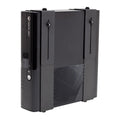
Xbox One Wall Mount for Xbox 360 + Xbox One + Xbox One S

Xbox Gamers are dedicated gamers. We love our Xbox Game Console more than life itself - but accidents do happen! Protect your console and Wall mount your Xbox and display it with pride! Wrap design secures Xbox in place, tab prevents sliding, and countersunk holes ensure a flush mount installation. For the Original Xbox One, Microsoft didn't equip the disk drive for vertical orientation, which is not a problem if you only download, but if you choose to use discs: go vertical at your own risk.
- Adjustable to fit every Xbox console (360 - One S).
- Easy access to buttons and ports.
- Powder coat finish protects components from scratches.
- Made from 16-gauge steel for extra strength.
Details + Compatibility
Xbox sold separately. Kinect®, Xbox®, Xbox 360® and Xbox One® are trademarks of Microsoft Corporation.
Product Name: HIDEit Uni-MW
UPC: 798304245417
Includes: (4) #8 Flat Head Drywall Screws, (4) Drywall Anchors, Thumb Nuts
Dimensions: H 9-13.95 x L 6 (overhang is fine) x D 2.66-3.65 in (22-35 x 15 x 6-9 cm)
Released: 9/2013 | Patented since 2015
COMPATIBLE WITH:
• Xbox 360 (12.15" x 10.15" x 3.27") released 11/2005
• Xbox 360 S (10.6" x 10.4" x 3.0") released 6/2010
• Xbox One (13.1" x 10.8" x 3.1") * Xbox One disk drive was not designed for Vertical Orientation
• Xbox One S (11.6” x 8.9” x 2.5” )
Shipping + Returns
Ships Fast from U.S. Warehouses
Most orders ship within 2 business days. Shipping speed depends on the service + carrier you select. US Economy Shipping can take up to 3 weeks. Shipping times are estimates and not guaranteed.
Return Policy
We want you to love your HIDEit Mount! Returns are accepted within 14 days of delivery for store credit. Items must be unused, in original packaging, and in resalable condition. Customers are responsible for return shipping.
Making Mounts Since 2009
-
Heavy-Duty Steel
Powder-coated steel protects your gear from scratches.
-
Snug + Secure Fit
Shaped to fit your exact model, so your gear stays put.
-
Designed in USA
Every HIDEit mount is designed in the USA.

 How to Install
Your Questions, Answered
Not sure if this is the right mount?
Check using our Mount Finder.
Which Xbox consoles will work with this mount?
Several Xbox consoles work with this mount, including the Xbox 360, Original Xbox One, Xbox One S and Xbox One X!
Will the remote still work?
Yes! Infrared, RF and Bluetooth signals will still work with the device mounted behind the TV, so you can ditch the cable box shelf! Read why it works.
I’m looking to mount this in a public place. Do you have a locking mount?
Yes! You can use the Uni-MW with our Theft Deterrent Add-On to prevent theft in public places.
Can I VESA mount this to the back of my TV?
Unfortunately this mount cannot be VESA mounted to the back of your TV. If your TV is already wall-mounted, you can use this mount plus 2 VESA Adapter Bars to attach it to the back of your TV.
Can this mount be mounted to a brick, concrete or stone wall?
Absolutely, but different mounting hardware may be required.
#afterHIDEit
Real Customers. Real Setups.


Every setup here belongs to a real customer. Share yours and you're entered in #afterHIDEit, our monthly setup contest.
Loading reviews...


Gaming Room Ideas + How-Tos

How to Build a Floating Gamer Wall

Can You Mount a Console or PC Without Drilling Into the Wall?

Pegboard Gaming Setup: Mount Your Gear Without Drilling Into the Wall

Brand New Day. Brand New Wall.
Since 2009
The HIDEit Story
What do you get when you add a Nintendo Wii, a few glasses of wine and a blow torch together? Usually a recipe for disaster. But in our case, it was different.

