


HIDEit Sky Q | 1TB Sky Q Box Wall Mount
Sold out. Get an email when it's back.
$5 US Shipping on $100+. Ships from Nevada.
- Ships in 2 Days
- 14-Day Returns
- Backed for Life
Thanks for choosing our American Small Business!
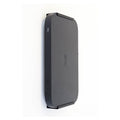
Sky Q Wall Mount or VESA Mount for Sky Q 1TB HD Box

Wall mount your Sky Q box with ease. Finally, you can enjoy your beautifully wall mounted TV without the mess of wires and boxes! We offer a full line of wall mounts for all of your electronic devices so that you can stay clutter free! The HIDEit Sky Q box wall mount enables you to mount your Sky Q box behind the TV on the wall, or on the back of your TV by utilizing the VESA hole patterns. Worried about the remote? Don’t sweat it, Sky uses bluetooth technology so line-of-sight is not necessary.
- VESA Compatible: 100mm (M4) & 200mm (M4/M6).
- Easy access to power button, output jacks + cables.
- Cold-rolled 16-gauge steel for superior strength.
- Powder coat finish protects from scratches.
Details + Compatibility
Sky Q Box not included. Sky Q® is a registered trademark of Sky UK.
Product Name: HIDEit Sky Q Mount
UPC: 858691006333
Includes: (2) (2) #8 Flat Head Drywall Screws, (2) Drywall Anchors rated for 11kg each, (2) M4 and (2) M6 VESA Screws
Dimensions: H 334.52 x L 170.18 x D 46.74 mm (13.17 x 6.7 x 1.84 in)
Released: 3/2018
COMPATIBLE WITH: Sky Q Cable Box (H 331 x L 210 x D 45mm)
Shipping + Returns
Ships Fast from U.S. Warehouses
Most orders ship within 2 business days. Shipping speed depends on the service + carrier you select. US Economy Shipping can take up to 3 weeks. Shipping times are estimates and not guaranteed.
Return Policy
We want you to love your HIDEit Mount! Returns are accepted within 14 days of delivery for store credit. Items must be unused, in original packaging, and in resalable condition. Customers are responsible for return shipping.
Making Mounts Since 2009
-
Heavy-Duty Steel
Powder-coated steel protects your gear from scratches.
-
Snug + Secure Fit
Shaped to fit your exact model, so your gear stays put.
-
Designed in USA
Every HIDEit mount is designed in the USA.

 How to Install
Your Questions, Answered
Is this the right wall mount for my Sky Q Box?
This Sky Q mount was designed to work with the Sky Q 1TB. Other Sky Q models, such as the Sky Q Mini will require a different HIDEit Mount.
Can this mount be mounted to a brick, concrete or stone wall?
Absolutely, but different mounting hardware may be required.
Will the remote still work?
Yes! Infrared, RF and Bluetooth signals will still work with the device mounted behind the TV, so you can ditch the cable box shelf!
#afterHIDEit
Real Setups. Real Installs.


Real setups from customers and the AV pros who install HIDEit. Share yours and you're entered in #afterHIDEit, our monthly setup contest.
Be the First to Review
Own this mount? Tell other shoppers how it went.


Tech Setup Ideas + How-Tos


Best Apple TV Mount for Any Setup: Wall, Behind TV, or VESA (All Generations Covered)

The Ultimate Gift Guide for Gamers, Sports and Tech Lovers
Since 2009
The HIDEit Story
What do you get when you add a Nintendo Wii, a few glasses of wine and a blow torch together? Usually a recipe for disaster. But in our case, it was different.

