


HIDEit Uni-L | Adjustable Large Device Wall Mount
Sold out. Get an email when it's back.
$5 US Shipping on $100+. Ships from Nevada.
- Ships in 2 Days
- 14-Day Returns
- Secure Checkout
Thanks for choosing our American Small Business!
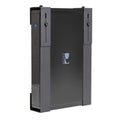
Adjustable Wall Mount for Large Audio Video Components: Cable Box, Satellite Receiver, DVR, Security NVR & More

The HIDEit Uni-L is the space-saving solution you’ve been looking for! With our Uni-L Mount, you can ditch your media cabinet and mount your cable box, satellite receiver, and more behind the TV and out of sight! Because the Uni-L is adjustable, you can fit a wide range of devices, including several from Charter, Comcast, and DirecTV. No need to worry about signal interference, its minimalist design ensures that most remotes will still work! HIDE your devices behind your TV today with the HIDEit Uni-L!
- Adjustable to fit a wide range of components.
- Easy access to buttons and ports.
- Powder coat finish protects components from scratches.
- Made in the USA from 16-gauge steel for durability.
Details + Compatibility
Product Name: HIDEit Uni-L
UPC: 798304245387
Includes: (4) #8 Flat Head Drywall Screws, (4) Drywall Anchors, Thumb Nuts
Dimensions: H 13.5-17.5 x L 10 (overhang is fine) x D 2.5-3.75 in
Released: 9/2013 | Patented
COMPATIBLE WITH:
• Bogen Communications C100 (14.5" x 11" x 3.75")
• Charter: Cisco Scientific Atlanta 8300 (15.6" x 11.2" x 3.25"); Motorola DCT2000 / DCT2200 / DCT 2500 (17.0" x 14.0" x 3.0"); Motorola DCT6200 / 6208 / 6412 (17.0" x 15.0" x 3.0"); Motorola DCH3200 (17.02" x 12.7" x 2.76"); Motorola DCH6416 / DCT5100 (17.5" x 12.7" x 2.76")
• Cisco / Scientific Atlanta: Explorer 8300 / 8640 (15.6" x 11.2" x 3.25"); CHS 435 HD DVR (15.7" x 10.91" x 3.4")
• Comcast: Motorola DCX3400 DVR (15.0" x 9.87" x 3.2"); Motorola DCH3416 / DCH6416 / DCT5100 (17.5" x 12.7" x 2.76); Motorola DCH3200 HDTV (17.02" x 12.7" x 2.76"); Motorola DCT6208 / DCT6412 / DCT6200 (17.0" x 15.0"x 3.0"); Motorola DCT2000 / DCT2500 (17.0" x 14.0" x 3.0"); Motorola DCT1800 (17.13" x 13.25" x 2.75"); DCT3400 DVR (17.13" x 10.75" x 2.75"); Motorola DCH6200 (17.2" x 12.7" x 2.76"); Motorola DCX3400 (15.0" x 9.87" x 3.2”); Motorola DCX3200 (13.0" x 15.0" x 2.5"); Cisco Scientific Atlanta 8300 (15.6" x 11.2" x 3.25")
• Cox Communications: Cisco Scientific Atlanta 8300 (15.6" x 11.2" x 3.25")
• DirecTV: Genie HR34 (15.75" x 11.85" x 3.25"); HR22-100 (15.2” x 11.8” x 2.8") H24-100 (18" x 9" x 3")
• DISH: ViP 222k HD Duo / 512 Solo DVR / ViP 612 HD Solo DVR / 625 DuoDVR / ViP 722k HD DuoDVR (16" x 13" x 3.5"); ViP 922 HD DuoDVR (16" x 12.5" x 3.5"); 322 Duo (16" x 13" x 3.5")
• HIKVISION: DS-7732NI-I4/16P (17.5"× 15.3" × 2.8"); DS-7716NI-I4/16P (17.5"× 15.3" × 2.8") • FOXTEL: DSN 700 (14.1" x 9.44" x 2.75”); DSN 720 (14.1" x 9.44" x 2.75”); DSN 720NM (14.1" x 9.44" x 2.75")
• Motorola: QIP7100 / 7216 (17.02" x 10.78" x 2.76”); DCX3400 (15" x 9.87" x 3.2”); DCT3416 (17.32" x 14.96" x 2.76"); DCT2000 / DCT2200 / DCT 2500 (17.0" x 14.0" x 3.0"); DCT6200 / 6208 / 6412 (17.0" x 15.0" x 3.0"); DCH3200 (17.02" x 12.7" x 2.76"); DCH3416 / DCH6416 / DCT5100 (17.5" x 12.7" x 2.76"); DCH6200 (17.2" x 12.7" x 2.76"); DCT1800 (17.13" x 13.25" x 2.75"); DCT3400 DVR (17.13" x 10.75" x 2.75"); DCX3200 (13.0" x 15.0" x 2.5"); DCX3400 (15.0" x 9.87" x 3.2"); 7232-P2 (15.0" x 10.2" x 3.1")
• Sky TV: Sky+HD box (364mm x 255mm x 73mm | 14.33" x 10.04" x 2.87"); Sky+HD 2TB box (73mm x 351mm x 265mm | 13.82" x 10.43" x 2.87")
• Time Warner: Motorola DCX3400M (15.0" x 9.87" x 3.2"); Cisco Scientific Atlanta 8640 HDC (15.6" x 11.2" x 3.26"); Cisco Scientific Atlanta 8642 HDC (15.6" x 10.4" x 3.5"); Motorola DCT2000 / DCT2500 (17.0" x 14.0" x 3.0"); Motorola DCT 6200 / 6208 (17.0" x 15.0" x 3.0"); Motorola DCH3416 / DCH6416 (17.5" x 12.7" x 2.76")
• TiVO: Series 2 DVR (15" x 12.5" x 3.25”); Series 3 DVR (16.5" x 13" x 3.25")
• Verizon FiOS: Motorola 7216 / 7100 (17.02" x 10.78" x 2.57"); Motorola 6416 / 6200 / 2708 / 2500 / 2508 (17.02" x 10.78" x 2.75"); Motorola 7232-P2 (15.0" x 10.2" x 3.1"); Cisco Scientific Atlanta CHS 435 HD DVR (15.7" x 10.91" x 3.4")
• Virgin Media: TiVo Box (14.57" x 9.45" x 3.15”)
Don't see your device? No problem! Just measure it and match it to our dimension ranges.
Shipping + Returns
Ships Fast from U.S. Warehouses
Most orders ship within 2 business days. Shipping speed depends on the service + carrier you select. US Economy Shipping can take up to 3 weeks. Shipping times are estimates and not guaranteed.
Return Policy
We want you to love your HIDEit Mount! Returns are accepted within 14 days of delivery for store credit. Items must be unused, in original packaging, and in resalable condition. Customers are responsible for return shipping.
Making Mounts Since 2009
-
Heavy-Duty Steel
Powder-coated steel protects your gear from scratches.
-
Snug + Secure Fit
Shaped to fit your exact model, so your gear stays put.
-
Designed in USA
Every HIDEit mount is designed in the USA.

 How to Install
Your Questions, Answered
Which devices will work with this mount?
As this is a universal wall mount, many devices are compatible! This mount is most often used as a cable box wall mount, computer wall mount or DVD wall mount!
Will the remote still work?
Yes! Infrared, RF and Bluetooth signals will still work with the device mounted behind the TV, so you can ditch the cable box shelf!
Can I VESA mount this to the back of my TV?
Unfortunately this mount cannot be VESA mounted to the back of your TV. If your TV is already wall-mounted, you can use this mount plus 2 VESA Adapter Bars to attach it to the back of your TV.
Can this mount be mounted to a brick, concrete or stone wall?
Absolutely, but different mounting hardware may be required.
#afterHIDEit
Real Setups. Real Installs.


Real setups from customers and the AV pros who install HIDEit. Share yours and you're entered in #afterHIDEit, our monthly setup contest.
Loading reviews...


Tech Setup Ideas + How-Tos

Best Apple TV Mount for Any Setup: Wall, Behind TV, or VESA (All Generations Covered)

Is HIDEit Better Than Amazon Brands?

THE INSIDE STORY: HIDEit Mac Mini Mount Collection

THE INSIDE STORY: HIDEit Universal Soundbar Mount
Since 2009
The HIDEit Story
What do you get when you add a Nintendo Wii, a few glasses of wine and a blow torch together? Usually a recipe for disaster. But in our case, it was different.

